Delete your Home Quest Account
You can request the closure of your Home Quest account by following these steps.
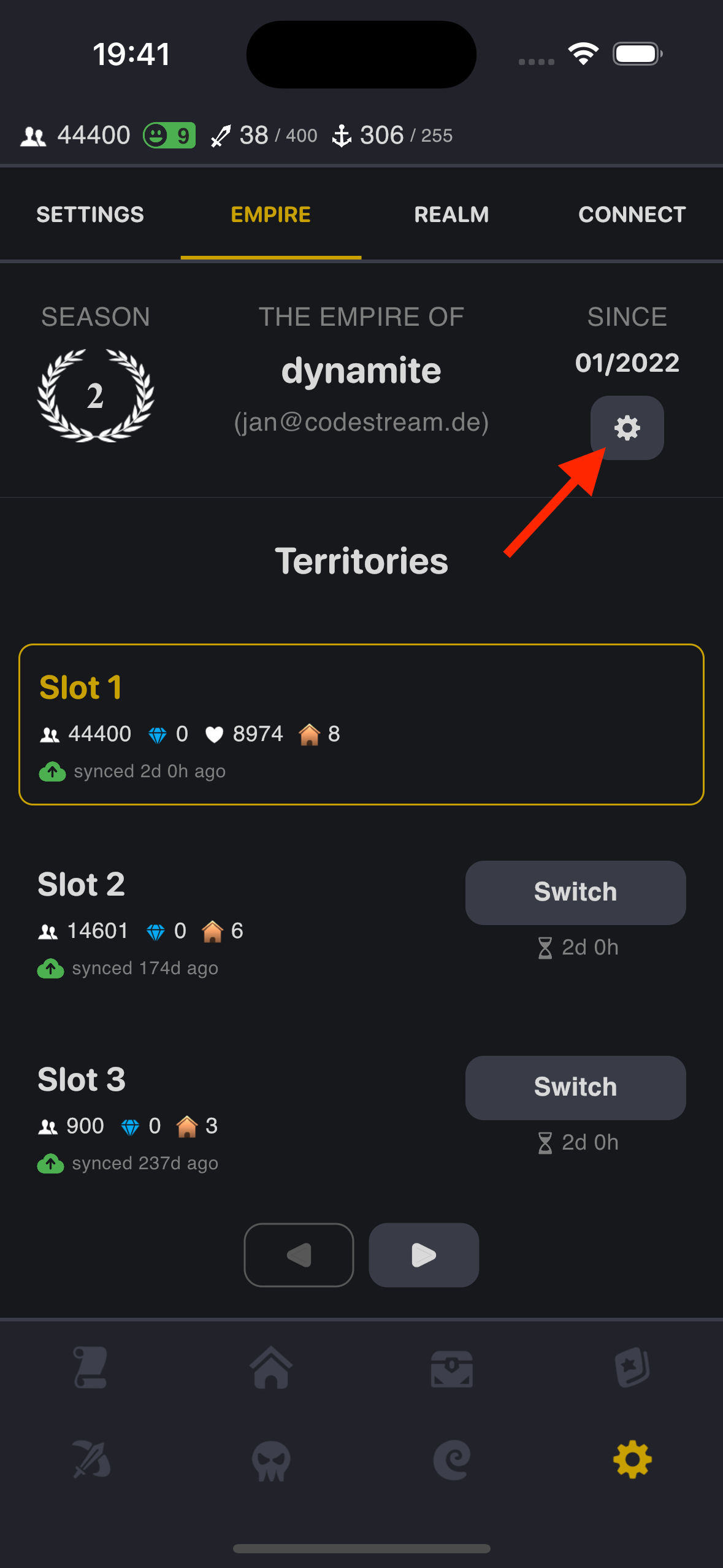
1. Navigate to Settings in your Profile Page
Go to your account profile page.
Tap the Settings button.
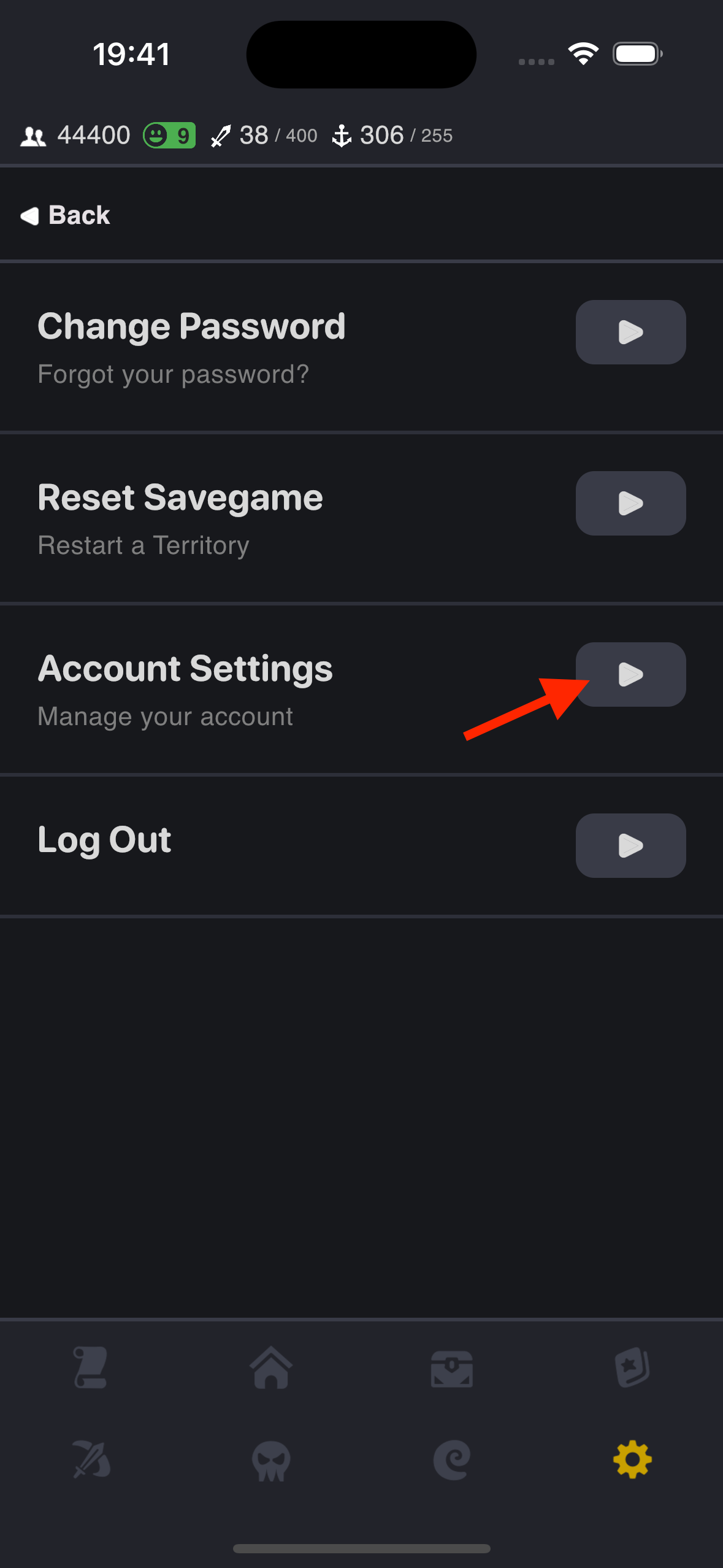
2. Navigate to Account Settings
Tap the Account Settings button.
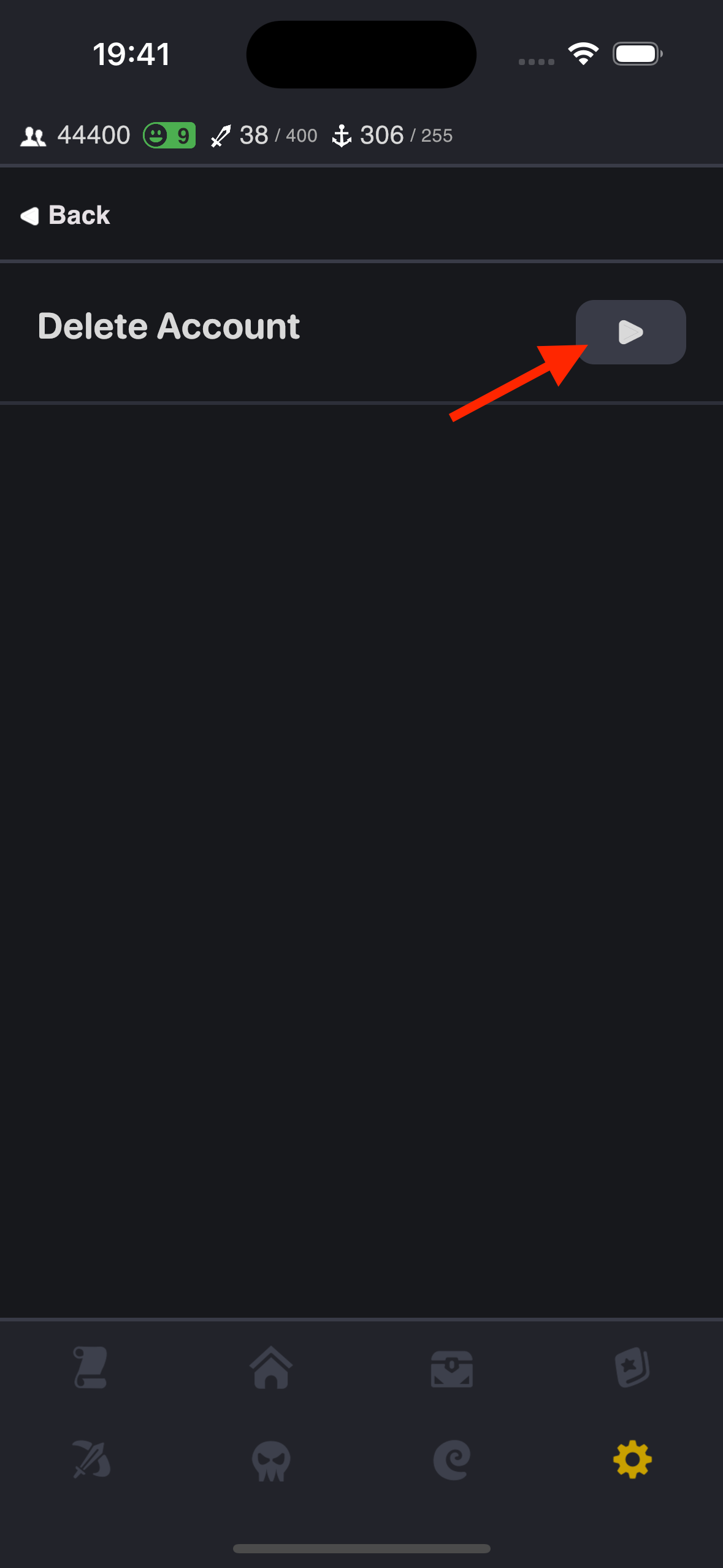
3. Select Delete Account
Tap the Delete Account button.
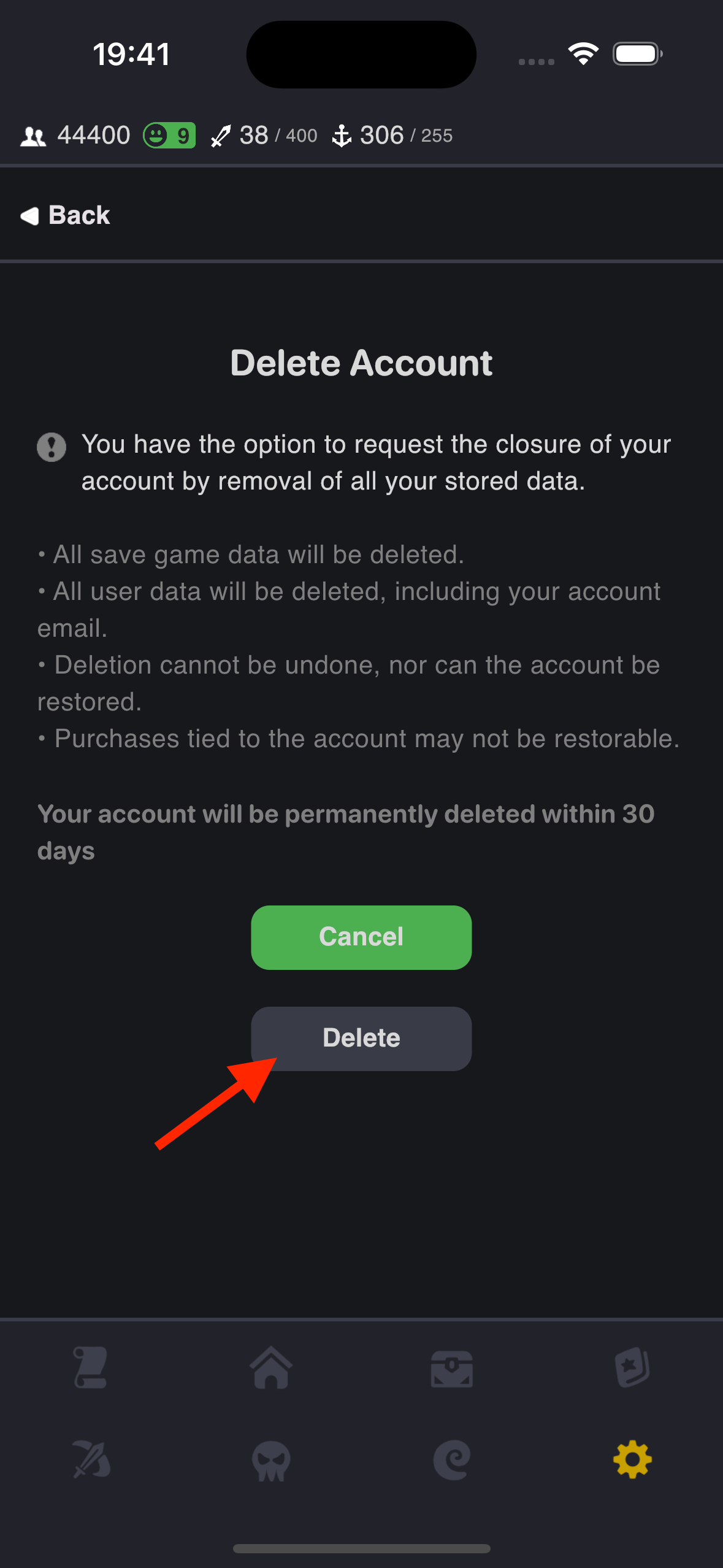
4. Tap Delete to Confirm
Tap the Delete button to confirm your account closure.
The account will be deleted within 30 days.
Deleted accounts cannot be recovered.